Tell it what happened.
Your CRM is a form you fill in after the call. This one listens instead. Say "Dana at Globex went to proposal at $67.5k, follow up Thursday" to the Claude or ChatGPT you already use — the contact, the deal, the stage and the task are updated before you've put the phone down.
$15 a month, and it isn't just this app — every Parsons product is on the same subscription. Cancel any time. Nothing is deleted by accident: every delete refuses unless it's confirmed, so an agent can't empty your book by misreading a sentence.
Say what happened. It's already in.
Bring what you have.
Paste a spreadsheet, forward the emails, or just start talking. Contacts, companies, deals and tasks — the four things a CRM is — in one place, in one project per business.
Paste one link into your AI.
Your account comes with one private address. Paste it into Claude, ChatGPT or Cursor once, and CRM's tools are there. No AI of your own? The console has chat built in.
https://mcp-hub.parsons.ai/p/prof_••••••••/mcpSay what happened.
One sentence carries the contact, the deal, the stage and the follow-up. It writes all four and tells you what it did.
Just got off a call with Dana at Northwind. Good demo, they asked for pricing. Move it to proposal, $18k, and remind me Tuesday.update_dealNorthwind → Proposal · $18,000donecreate_taskFollow up Dana · Tue 9:00doneadd_notecall summary, 4 linesdoneAsk the pipeline anything.
"What's stale?" "Who haven't I talked to in a month?" "Forecast for October?" It reads your own rows, not a report someone built.
Which deals haven't moved in two weeks?A CRM that gets written to, not filled in.
Deals and a pipeline
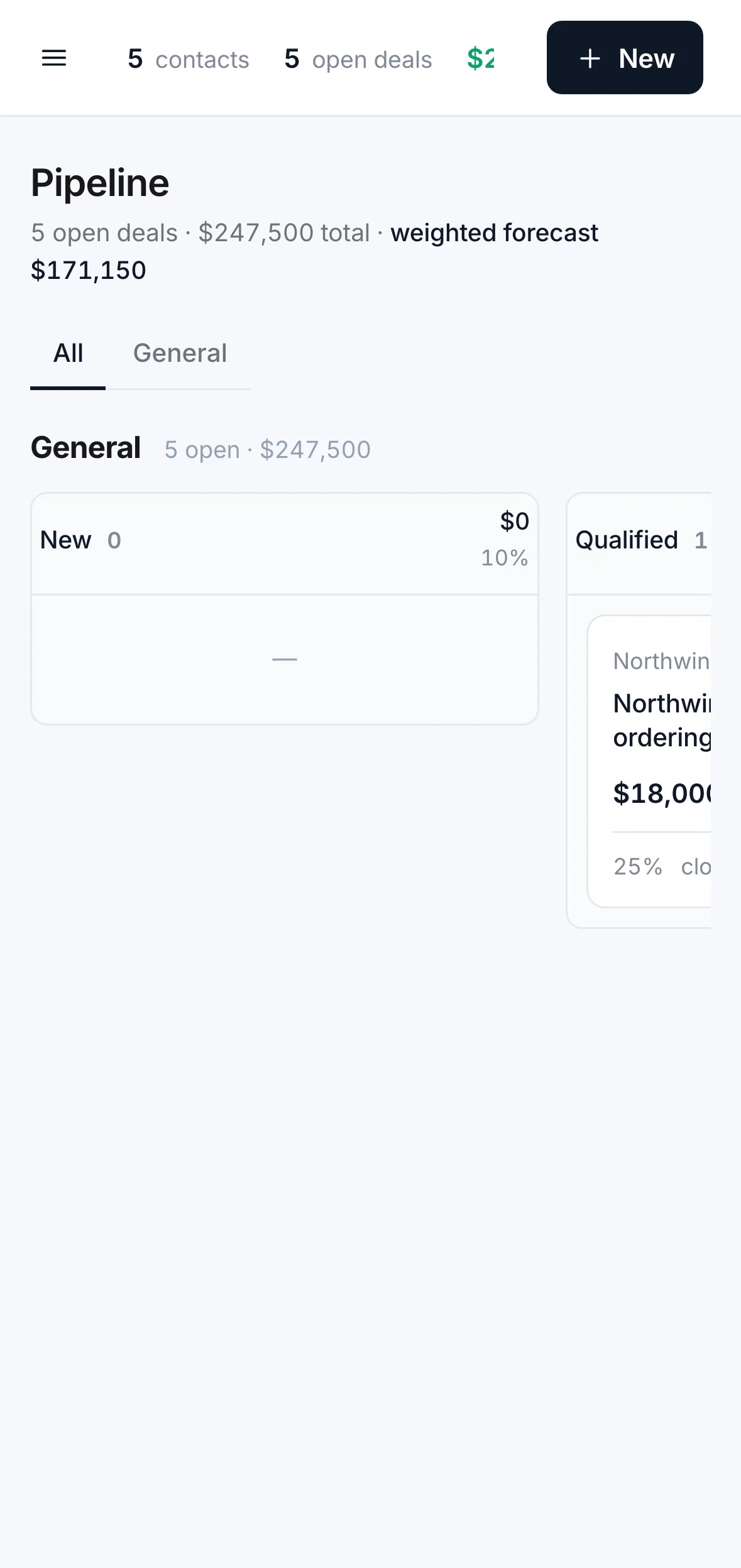
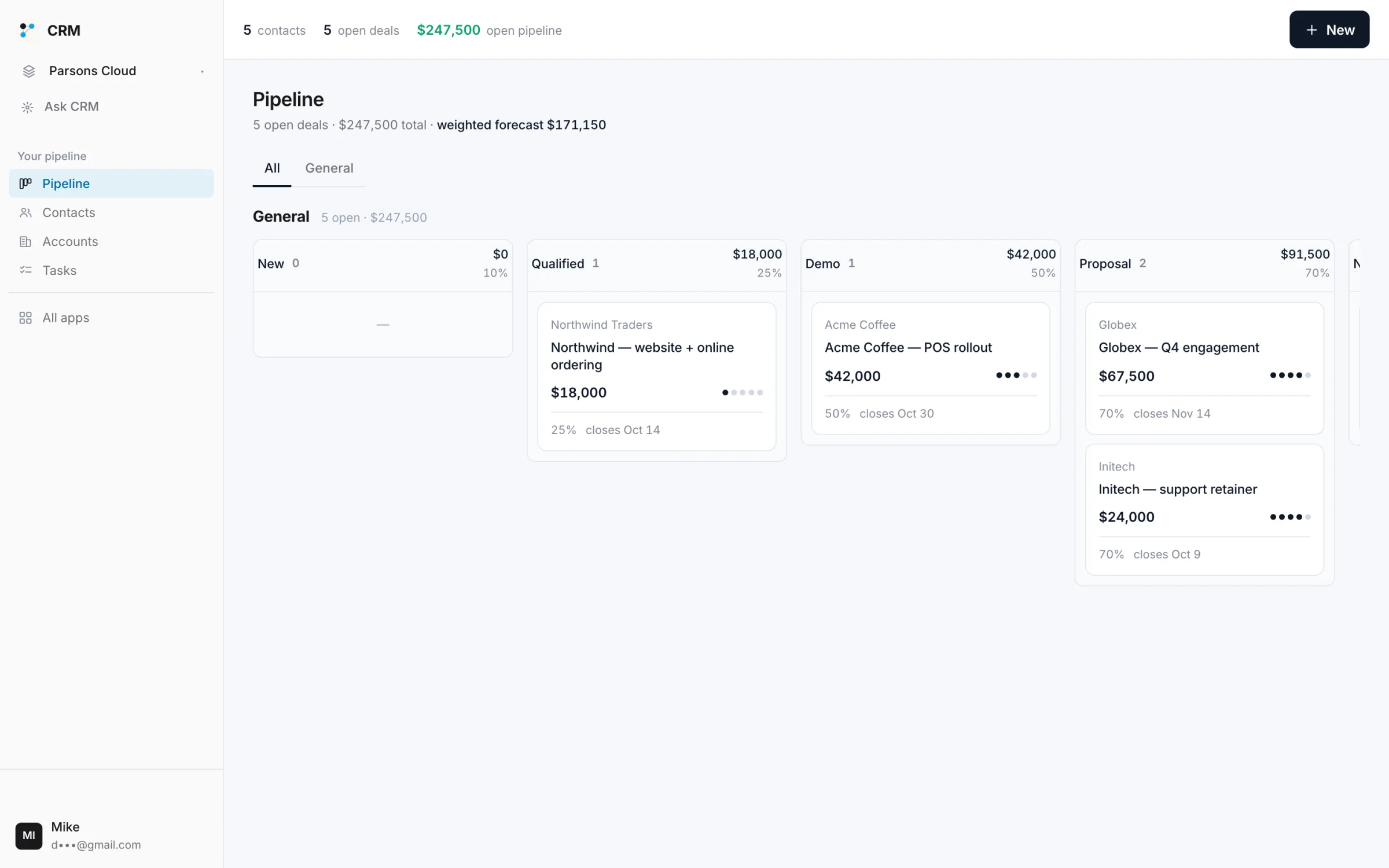
Stages you name, a weighted forecast, and a board for when you want to look. Move a deal by saying so.
Contacts and companies
People, the companies they belong to, and everything that happened with each — calls, notes, emails, the deals they're on.
Tasks that come from conversations
"Remind me Tuesday" is a task. It shows up here, on your calendar, and in the answer when you ask what's due.
Drafts in your voice
Follow-ups, summaries, the SOW outline — drafted from the record, sent from your own email, never on its own.
Pipelines for the different things you sell
A services pipeline and a product one. Or a job search. Each with its own stages and forecast.
delete_dealInitech · without confirmrefuseddelete_dealconfirm: truedoneA book that can't be emptied by mistake
Deleting anything needs an explicit confirm. Deleting a company keeps its contacts and deals. An agent cannot wipe your CRM by misreading you.
It updates your book. It cannot send a word on its own.
- ×Send an email or place a call by itselfDrafts, yes. Sending is Email's and Phone's job, and both ask you first.
- ×Delete anything without an explicit confirmdelete_contact, delete_deal, delete_task all refuse unless called with confirm: true.
- ×See another project's contactsEvery row is scoped to the project. The LLC's book and the side business's book never meet.
- ✓Create and update contacts, companies, deals, tasks and notes
- ✓Read the whole pipeline: stale deals, forecast, who's owed a call
- ✓Import from a spreadsheet, export to one
There is no security slogan on this page and no badge we haven't earned. Everything in that list is a thing you can check; the full mechanism and every tool are on the details page.
Fifteen dollars a month — and it isn't just this app.
Is it worth it? Start where we look worst.
If you're one person with one pipeline, a free CRM tier exists. Here's what the paid ones publish, per seat.
Ours is $15 for the whole account — no seats, unlimited projects — and the same $15 runs Money, Email, Phone, Social and the rest. Bring a second person and every per-seat line above doubles; ours doesn't move. And there is no free tier because we would rather charge you fifteen dollars than sell your contacts.